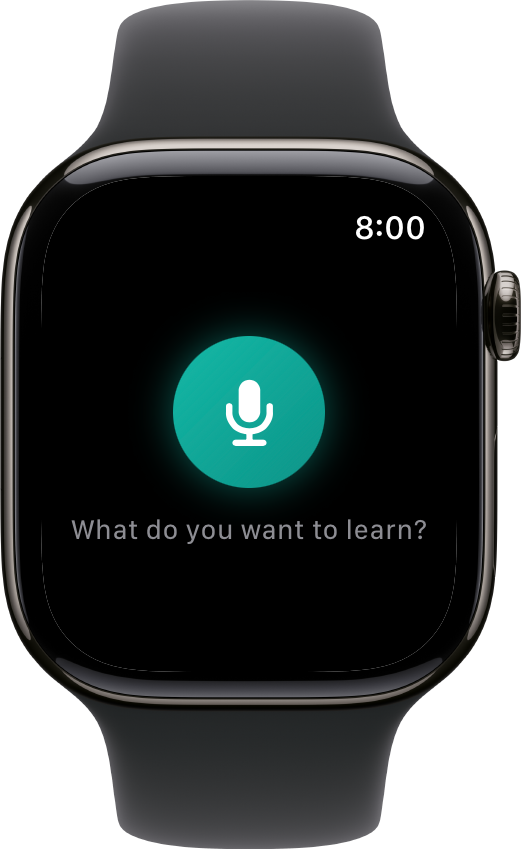
The best card ideas show up away from your desk: mid-run, mid-conversation, mid-shower-thought. Interact's Apple Watch app captures them by voice before they evaporate.
How it works
1. Raise your wrist and talk
Open Interact on the watch, or jump in from the watch face complication, and dictate the thought: a word you just heard, a fact worth keeping, a question you couldn't answer.
2. It lands in Interact
The dictation syncs into your account, ready to become a card. No typing on a tiny screen, no hoping you'll remember later.
3. Polish it when you're back
On your phone or the web, turn the captured idea into a proper flashcard, quiz question, or fill-in-the-blank. AI can help draft it.
Capture on the wrist, review everywhere
Most watch flashcard apps squeeze reviews onto the smallest screen you own. Interact takes the opposite bet: the watch is for capture, because that's what a wrist is good at. Reviewing is better on your iPhone and iPad, the web, or your TV.
The result is a pipeline: ideas go in from your wrist all day, and your daily queue serves them back until they stick.
Common questions
Do I need my phone nearby?
The watch app pairs with the Interact iPhone app to sync your dictations, so the usual watch-and-phone setup is all it takes.
Can I review cards on the watch?
Not today. The watch is deliberately a capture tool. Reviews live on iPhone, iPad, Apple TV, and the web, where they're actually pleasant.
Is there a complication?
Yes. Add Interact to your watch face and capture is one tap away.
Does it cost extra?
No. The watch app comes with the iOS app, and one account covers every platform.
Never lose a card idea again
Get Started Free
No credit card required
More ways to learn with Interact
YouTube to Flashcards
Paste a video link and get flashcards, quizzes, and fill-in-the-blanks built from it.
YouTube to Quiz
Generate a multiple choice quiz from any YouTube video and edit every question.
PDF to Flashcards
Upload lecture slides, textbook chapters, or photos of notes and study them as flashcards.
Website to Flashcards
Turn any article or webpage into study material by pasting the link.
Notes to Flashcards
Paste typed notes or snap a photo of handwritten pages and make them reviewable.
Visual Flashcards
Put an AI-drawn picture on the back of a vocabulary card instead of a translation.
Fetch Image
Name a painting, a landmark, or a species and the picture lands on your card.
Image Occlusion
Mask the labels on a diagram or map and quiz yourself on what is underneath.
Type the Answer
Exercises that make you type what you know, with grading that forgives typos.
Interactive Lessons
Five lesson types with animations, sound effects, and keyboard shortcuts that keep review fun.
Flashcards on Apple TV
A native tvOS app for reviewing your queue on the big screen.
Personal Curriculum
Organize subjects, goals, and resources for everything you are learning.
Progress & Streaks
Track a daily streak, watch goals move, and catch follow-ups without breaking focus.
Ask
Ask a question, then say what to build or change. No clicking through screens.


Made with
in Orlando, Florida.
© 2026 Create With LLC. All rights reserved.