Say what you want in plain language and it happens. Ask answers questions about anything you're learning, reads your own progress back to you, and builds or changes whatever you describe, so you spend your time learning instead of hunting for the right screen.
Three kinds of things to say
Ask about anything
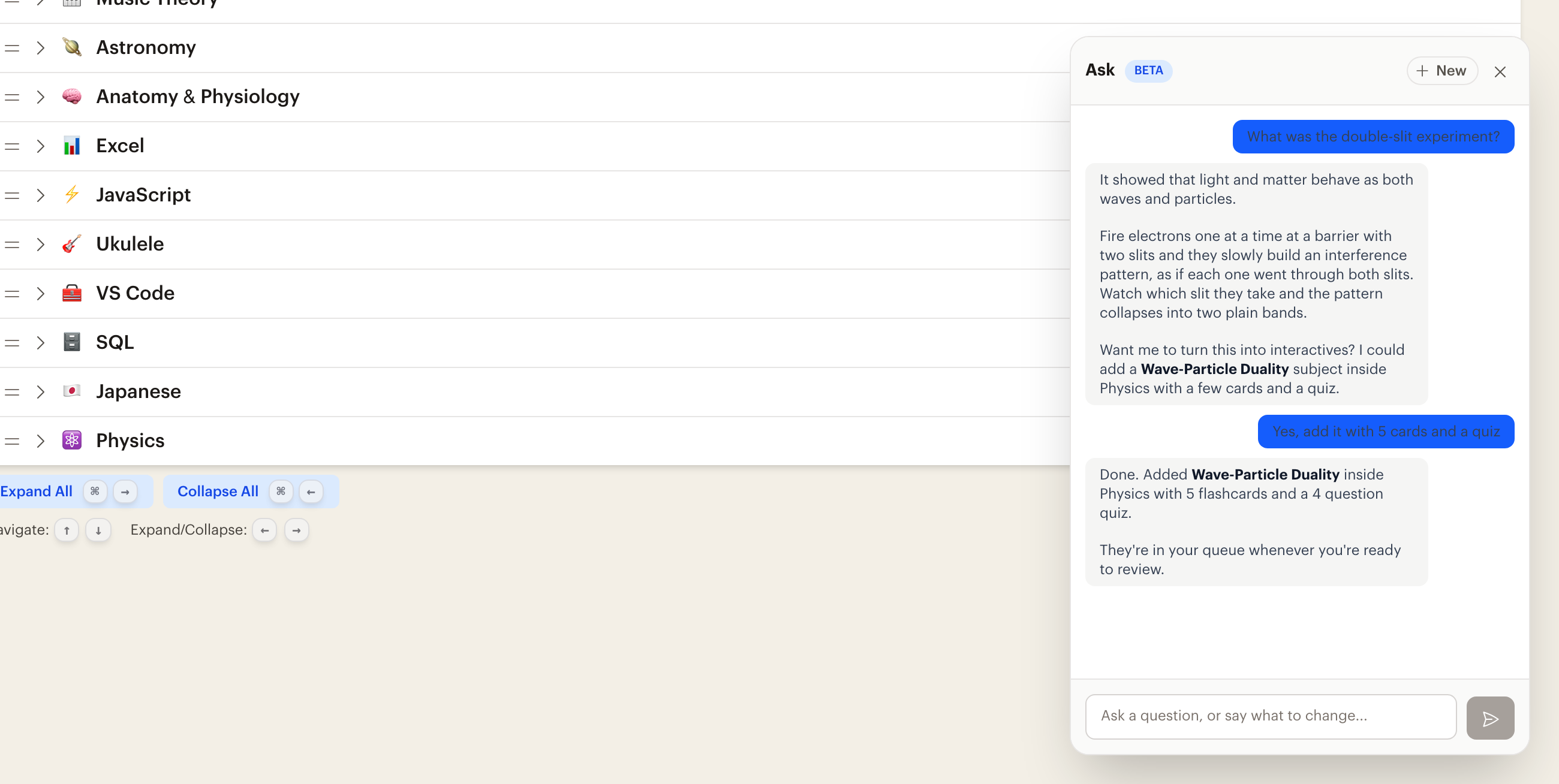
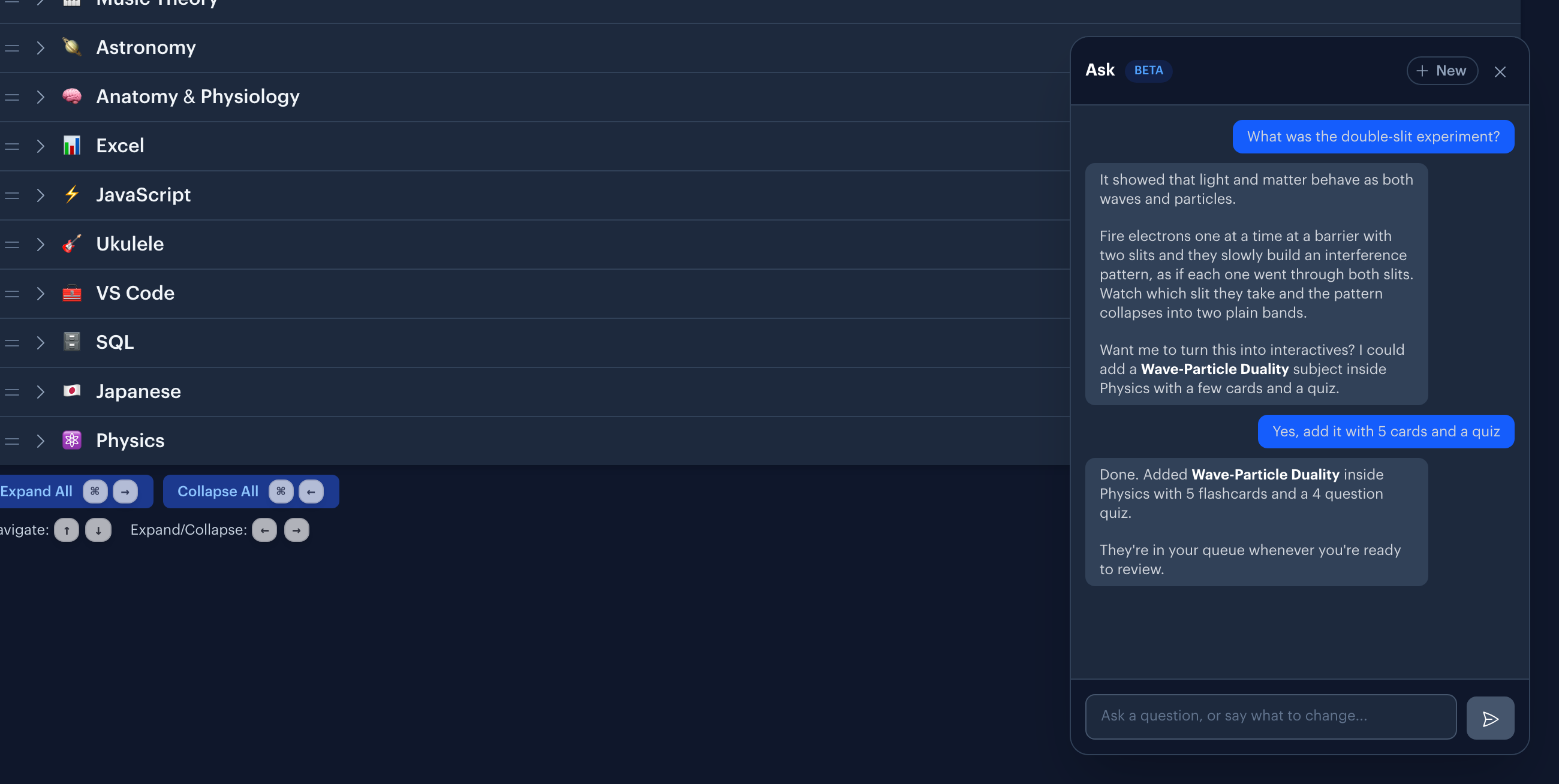
"What was the double-slit experiment?" Ask explains it, then offers to turn the explanation into flashcards and quizzes in the subject where they belong. Math renders as real formulas and code comes back highlighted, so a technical answer reads the way it should, and that formatting carries into the interactives you make from it.
Ask about your own learning
"Which interactives am I struggling with?" or "What's my current streak?" Ask reads your real data and answers from it, so you get your numbers rather than a guess.
Change something
"Mark my Ruby goals as mastered." "Add a goal for reading sheet music to my music theory subject." "Reorder my Spanish subject so grammar comes first." Ask can create and update subjects, goals, resources, lessons, notes, and habits.
From a question to a lesson
Most of what you learn starts as curiosity rather than a plan. You read something, you wonder about it, and a week later it's gone.
Ask closes that gap. Read the answer, decide it's worth keeping, and say so: "This is great, add a subject inside Physics and make interactives about wave-particle duality." The explanation you just read becomes material you will actually see again.
Because Ask can see what's already in your curriculum, it suggests where new lessons belong and fills the gaps you haven't covered yet, instead of dropping everything into one pile.
While Ask works
Answers stream in as they're written, so you start reading right away. When Ask is building something, it names the step it's on, like creating a flashcard or a quiz, so you watch the work happen instead of waiting on a spinner.
When Ask mentions or makes something, the answer links straight to it. One click opens the new subject, or the exact lesson it just built, without hunting for it afterward.
Each answer runs on its own, so you don't have to sit and wait. Close the panel, move to another page, or reload, and come back to find a longer change already finished.
Common questions
Is this just a chatbot?
No, and it isn't trying to beat a general AI model at general knowledge. The difference is what happens after the answer. Ask is connected to your subjects, goals, and review history, and it can act on all of them. A chatbot tells you about the Krebs cycle. Ask tells you, then puts it in your Biology subject as six cards you'll see again on Thursday.
What can it change?
Subjects, goals, resources, authors, habits, projects, and notes, plus every lesson type : flashcards, cloze deletions, quizzes, typed answers, and image occlusions. It can also star, flag, archive, and reorder things, and jump you straight to any page in the app.
Do I have to phrase things a certain way?
No. There are no commands to memorize. Say it the way you'd say it to a person, and if something is missing Ask will ask you for it before it changes anything.
Where do I find it?
Ask is one click away on the Plan and Progress screens on the web, and a swipe down on the Plan screen in the iPhone and iPad apps.
Is it included in the free plan?
Ask is part of a paid subscription. It's included in the free trial, so you can put it to work before you decide.
Ask your first question
Get Started Free
No credit card required
Used for
See how this fits into studying a whole subject.
More ways to learn with Interact
YouTube to Flashcards
Paste a video link and get flashcards, quizzes, and fill-in-the-blanks built from it.
YouTube to Quiz
Generate a multiple choice quiz from any YouTube video and edit every question.
PDF to Flashcards
Upload lecture slides, textbook chapters, or photos of notes and study them as flashcards.
Website to Flashcards
Turn any article or webpage into study material by pasting the link.
Notes to Flashcards
Paste typed notes or snap a photo of handwritten pages and make them reviewable.
Visual Flashcards
Put an AI-drawn picture on the back of a vocabulary card instead of a translation.
Fetch Image
Name a painting, a landmark, or a species and the picture lands on your card.
Image Occlusion
Mask the labels on a diagram or map and quiz yourself on what is underneath.
Type the Answer
Exercises that make you type what you know, with grading that forgives typos.
Interactive Lessons
Five lesson types with animations, sound effects, and keyboard shortcuts that keep review fun.
Flashcards on Apple TV
A native tvOS app for reviewing your queue on the big screen.
Flashcards on Apple Watch
Dictate card ideas from your wrist and they land in your study queue.
Personal Curriculum
Organize subjects, goals, and resources for everything you are learning.
Progress & Streaks
Track a daily streak, watch goals move, and catch follow-ups without breaking focus.


Made with
in Orlando, Florida.
© 2026 Create With LLC. All rights reserved.