A translation on the back of a vocabulary card teaches you to translate. A picture teaches you the word. Interact draws the picture for you, so "el gato" can mean a cat before it means "the cat".
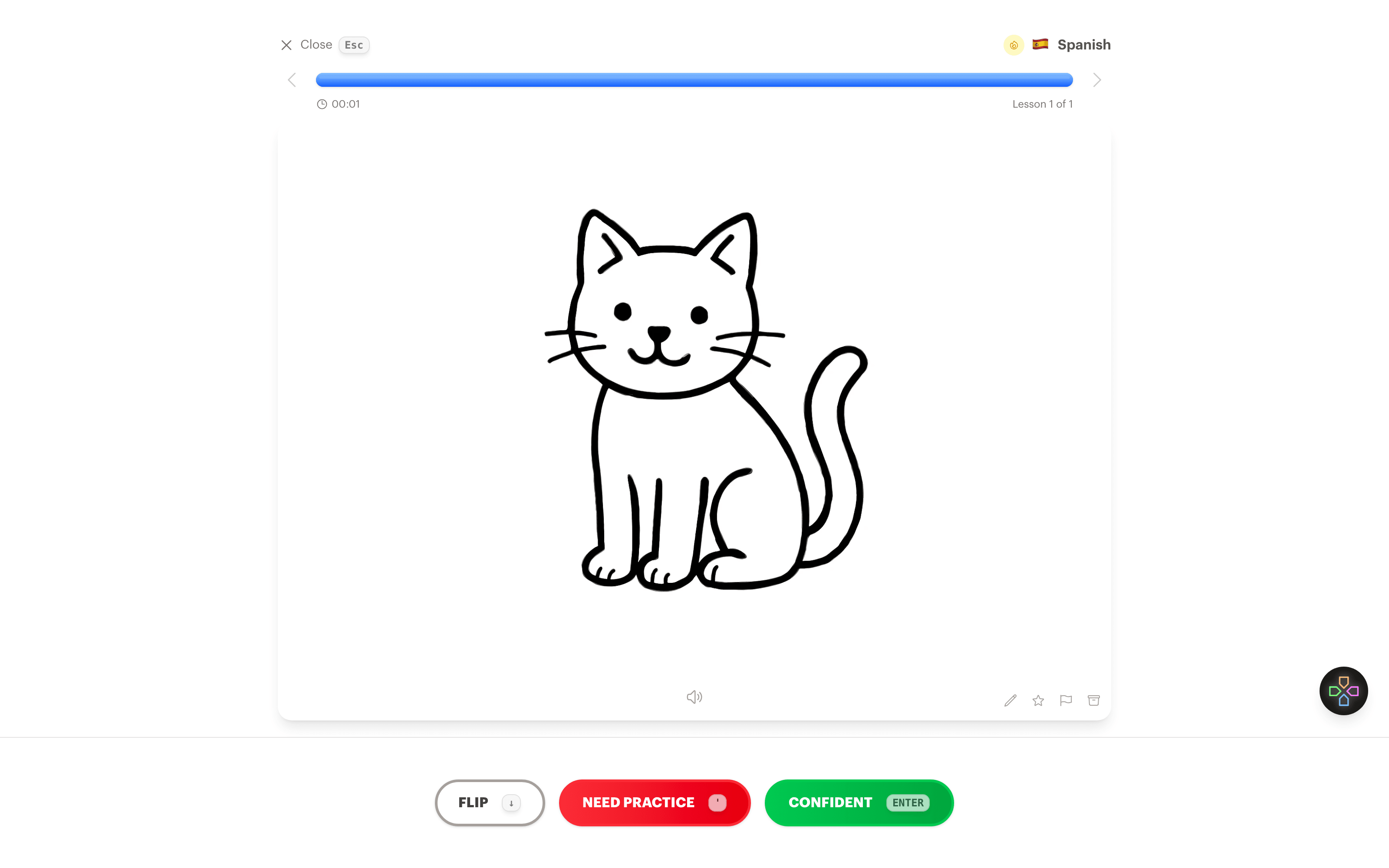
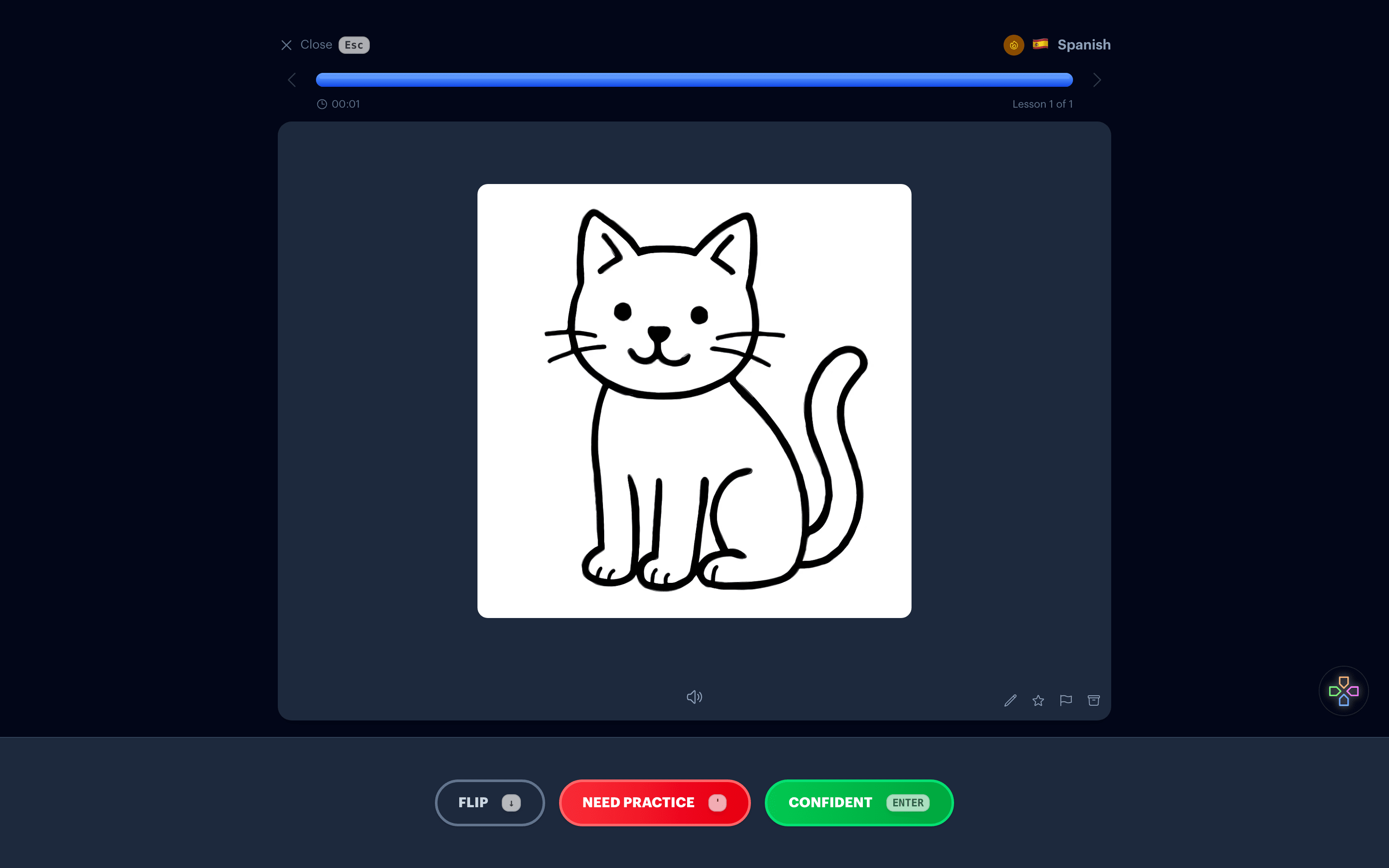
Why pictures beat translations
When the back of a card says "the cat", every review runs through your native language first. You see the word, recall the translation, and only then picture the animal. That extra hop is exactly what makes speaking feel slow.
A picture skips the hop. Seeing a cat and thinking "el gato" is the same act you'll perform in a real conversation, so that's the act worth practicing. Language learners have taught this way for years with hand picked images. Fluent Forever made it famous. The hard part was always finding or drawing the pictures.
How it works
1. Write the word
Type the word or phrase on the front of a new flashcard, the way you would for any card.
2. Create a visual
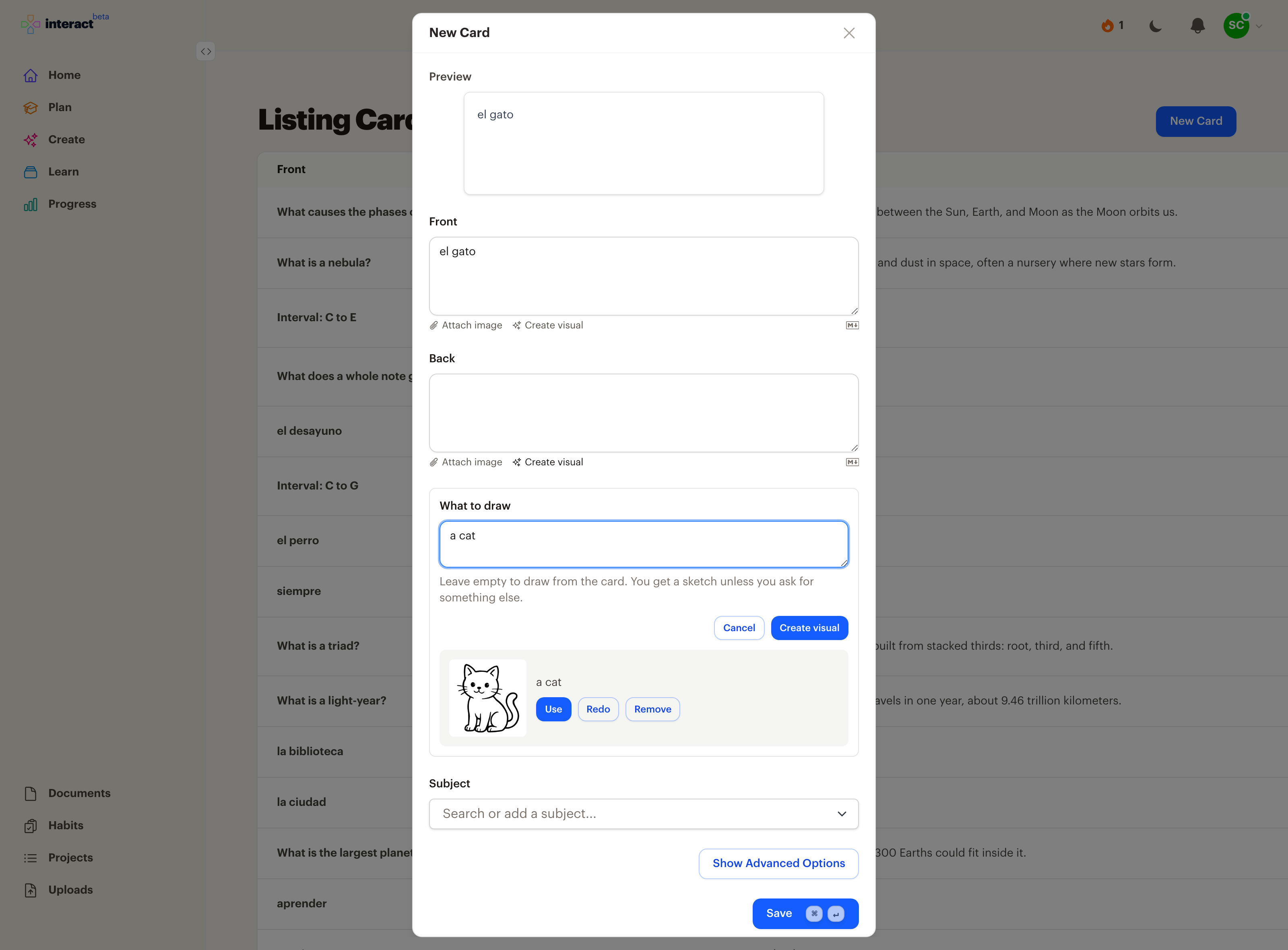
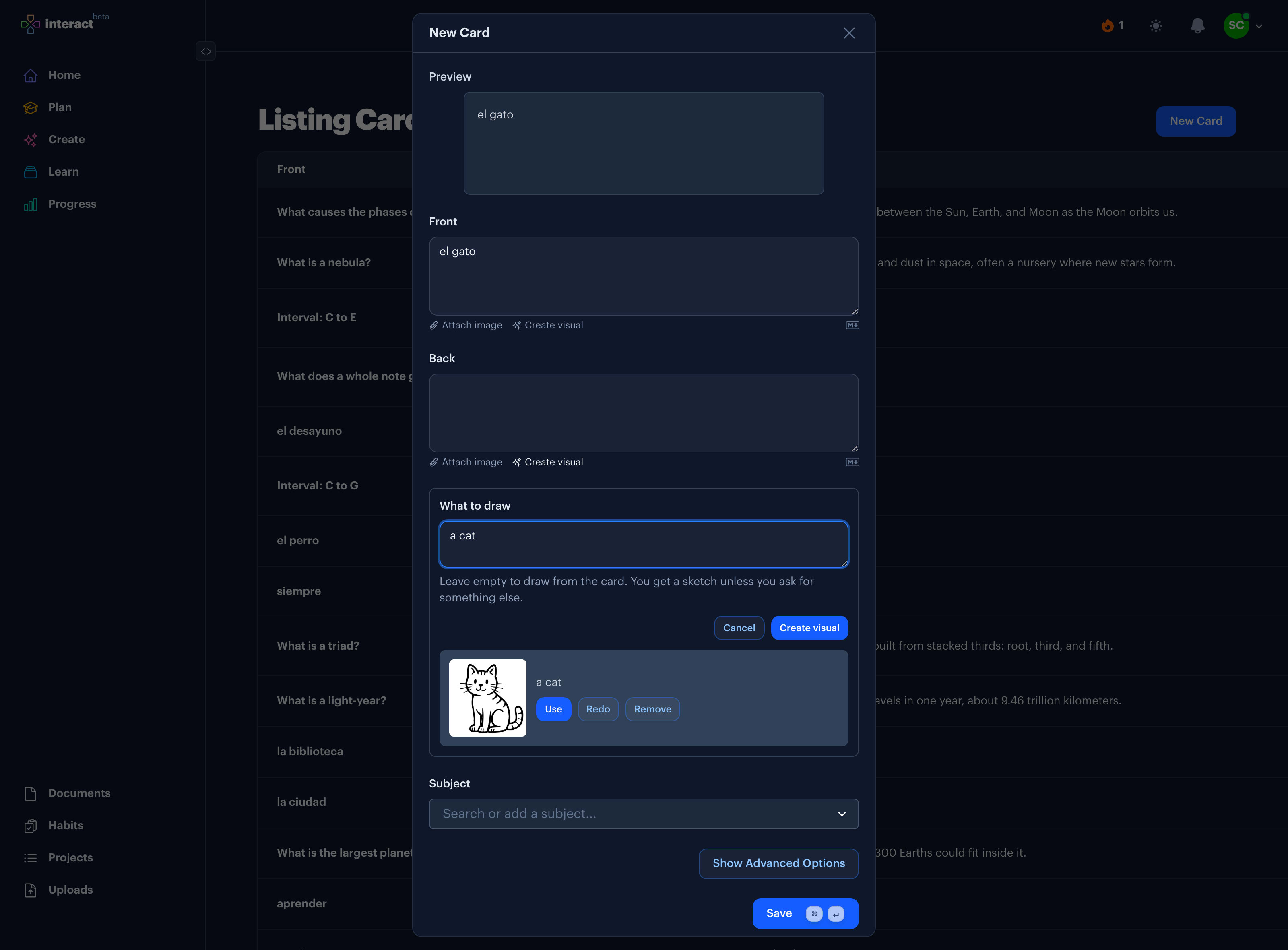
Click Create visual under the back of the card. Leave the description empty and Interact draws what the card is about. Or describe the picture yourself, like "a man waving goodbye" for adiós, when the word needs a nudge.
3. Keep it or redo it
A sketch appears in a few seconds. Use it, draw it again, or try a different description. The picture goes into the card as an image, so you can still add a note or an example sentence beside it.
4. Review on any screen
The card plays in lessons on the web, iPhone, iPad, and Apple TV on the same spaced repetition schedule as the rest of your collection.
Where it shines
Concrete nouns and everyday verbs are the sweet spot: animals, food, objects around the house, actions like waving, running, or sleeping. These are the words you want to feel rather than decode, and they are the easiest to draw.
It works outside language learning too. A sketch of a mitochondrion on the back of a biology card, or a bar chart on the back of a statistics card, gives your memory a shape to hang the word on.
When the card needs a specific real image rather than a sketch, like a painting or a landmark, Fetch image finds it on the web instead.
Common questions
What do the pictures look like?
Simple black-and-white sketches with clean lines, a bit like a comic. They're meant to be clear at a glance, not detailed. Ask for color or more detail in the description if a card needs it.
Can I use my own pictures instead?
Yes. Paste, drop, or attach an image on either side of a card. Created and attached pictures sit in the card the same way.
Does the picture ever contain text?
Interact asks for pictures without words so the card can't leak its own answer. If a picture isn't right, Redo draws a new one.
Is it free?
Each picture counts as one AI generation, and the free plan includes 10 a month. Attaching your own images is unlimited on every plan.
Which languages does it work for?
Any. The picture has no language, which is the point. Write the front of the card in the language you're learning.
Learn the word, not the translation
Get Started Free
No credit card required
Used for
See how this fits into studying a whole subject.
More ways to learn with Interact
YouTube to Flashcards
Paste a video link and get flashcards, quizzes, and fill-in-the-blanks built from it.
YouTube to Quiz
Generate a multiple choice quiz from any YouTube video and edit every question.
PDF to Flashcards
Upload lecture slides, textbook chapters, or photos of notes and study them as flashcards.
Website to Flashcards
Turn any article or webpage into study material by pasting the link.
Notes to Flashcards
Paste typed notes or snap a photo of handwritten pages and make them reviewable.
Fetch Image
Name a painting, a landmark, or a species and the picture lands on your card.
Image Occlusion
Mask the labels on a diagram or map and quiz yourself on what is underneath.
Type the Answer
Exercises that make you type what you know, with grading that forgives typos.
Interactive Lessons
Five lesson types with animations, sound effects, and keyboard shortcuts that keep review fun.
Flashcards on Apple TV
A native tvOS app for reviewing your queue on the big screen.
Flashcards on Apple Watch
Dictate card ideas from your wrist and they land in your study queue.
Personal Curriculum
Organize subjects, goals, and resources for everything you are learning.
Progress & Streaks
Track a daily streak, watch goals move, and catch follow-ups without breaking focus.
Ask
Ask a question, then say what to build or change. No clicking through screens.


Made with
in Orlando, Florida.
© 2026 Create With LLC. All rights reserved.