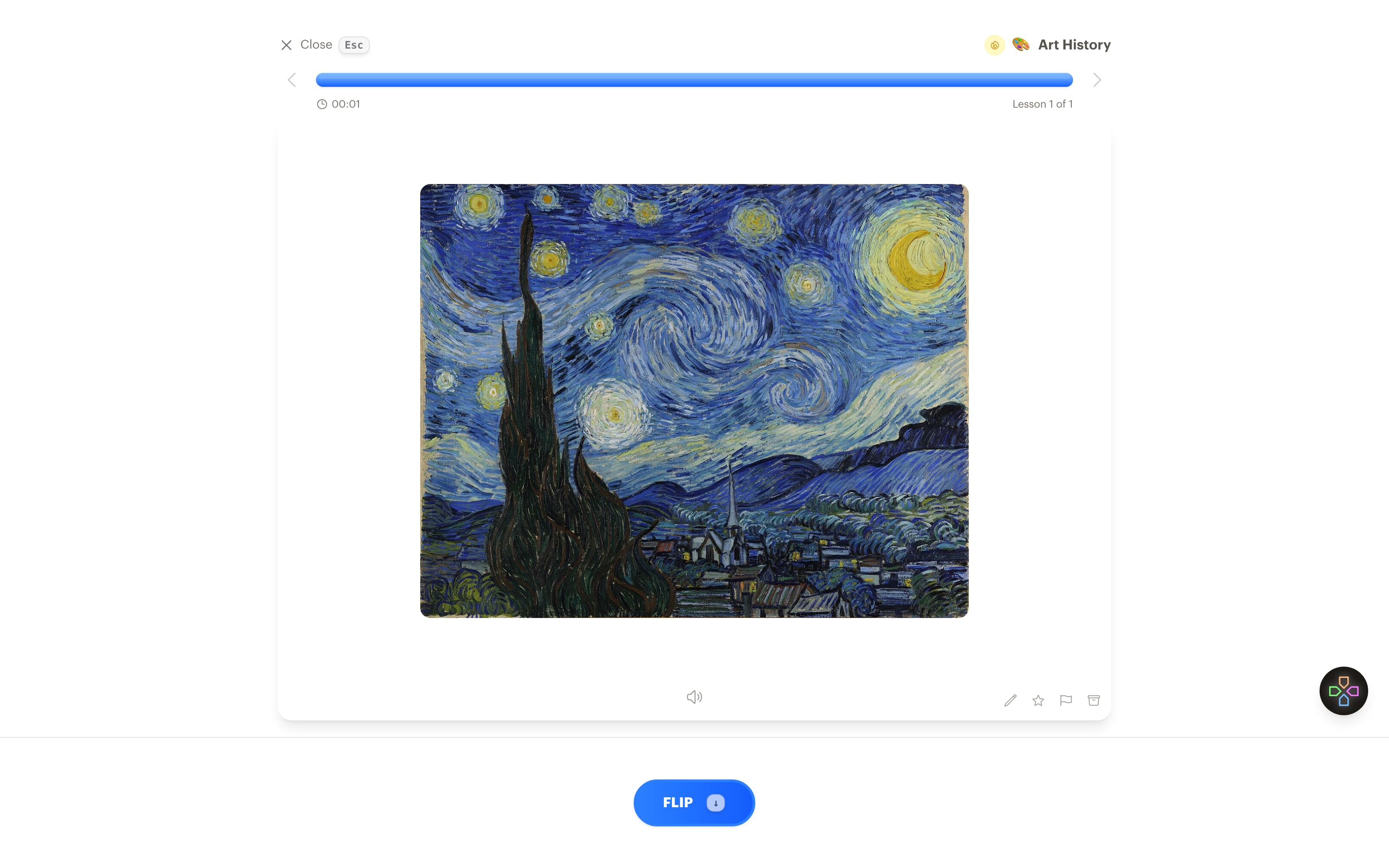
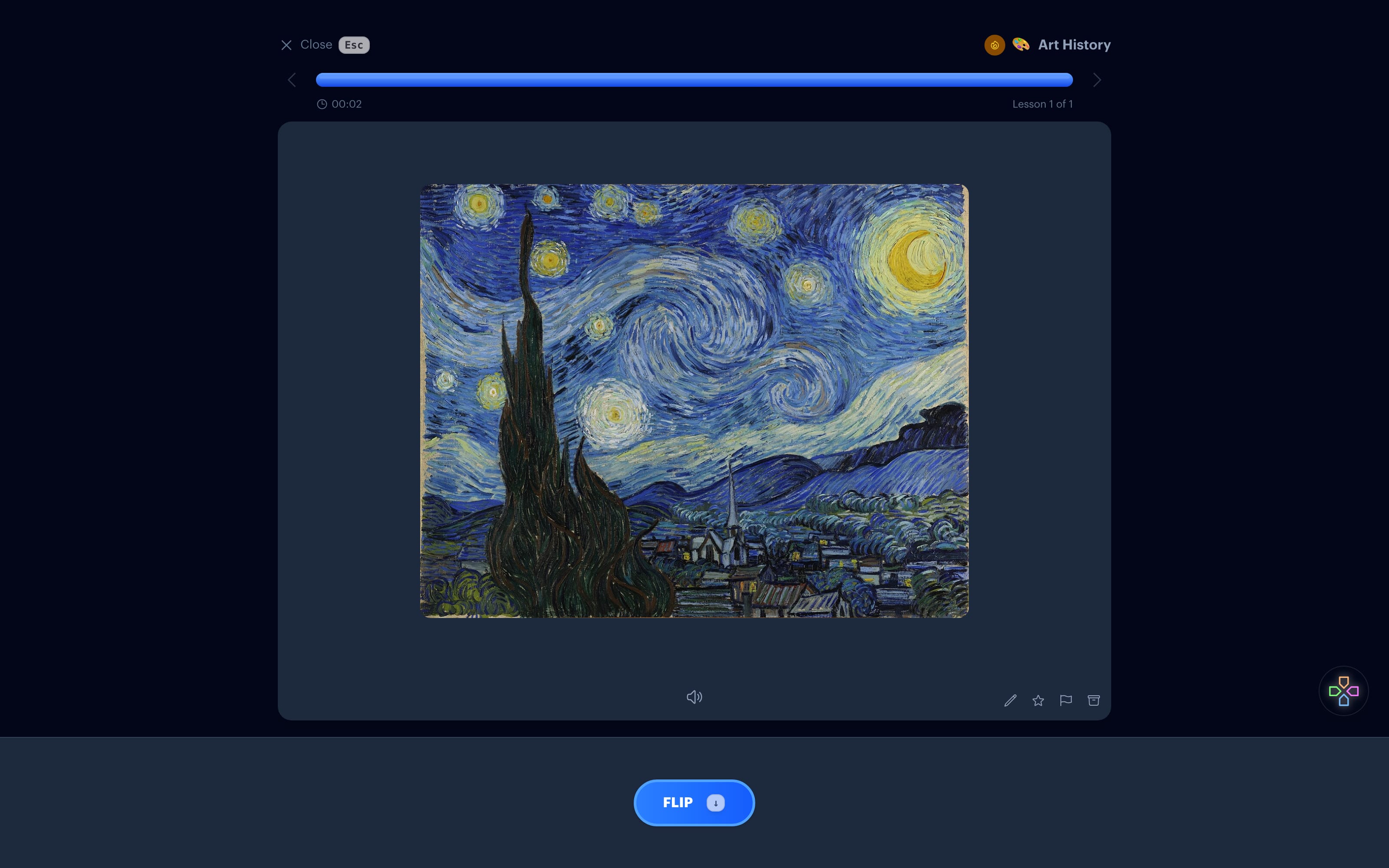
Some cards need the real thing: the actual painting, the actual bird, the actual building. Type what you're after and Interact finds a photo or a reproduction and puts it on the card.
When a drawing won't do
A sketch is right for "the cat" in a vocabulary deck. It's wrong for The Starry Night, the Eiffel Tower, or a red-tailed hawk, where the whole point is to recognize a specific thing. Those cards need a real image, and finding one used to mean a search, a download, and an upload for every card.
Fetch image does that round trip for you. It looks for the picture by name, starting with Wikimedia Commons and falling back to a wider web search, and places what it finds in the card.
How it works
1. Write the card
Start a new flashcard. Put the question or the answer where you want it, and leave the side that should hold the picture empty.
2. Fetch image
Click Fetch image under that side and type what to find, like "The Starry Night" or "red-tailed hawk in flight". Interact searches, picks a match, and shows it to you.
3. Keep it or search again
If the picture is right, use it. If not, change the description and fetch again. The image goes into the card as an image, so you can still add text beside it.
4. Review on any screen
The card plays in lessons on the web, iPhone, iPad, and Apple TV on the same spaced repetition schedule as the rest of your collection.
Where it shines
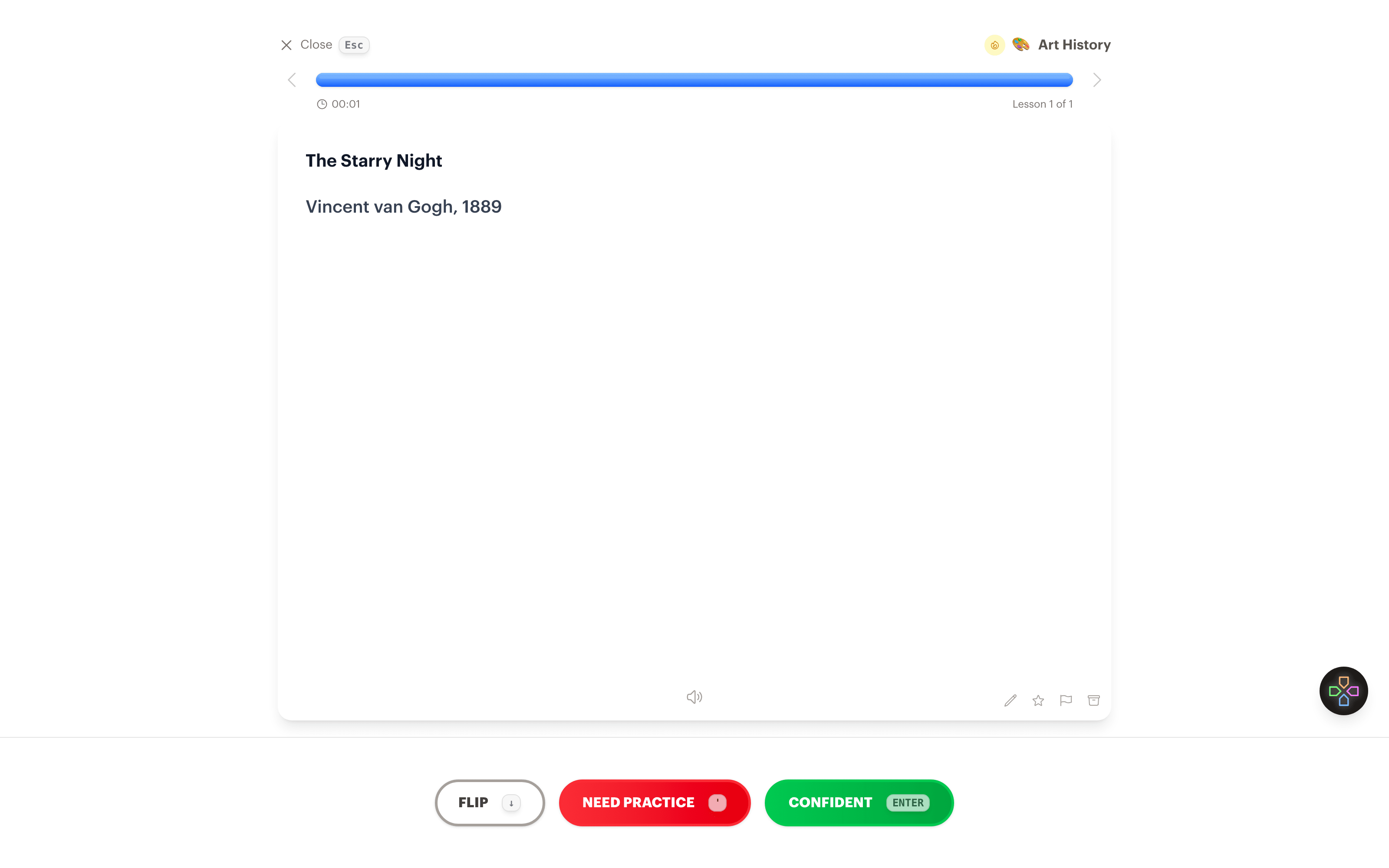
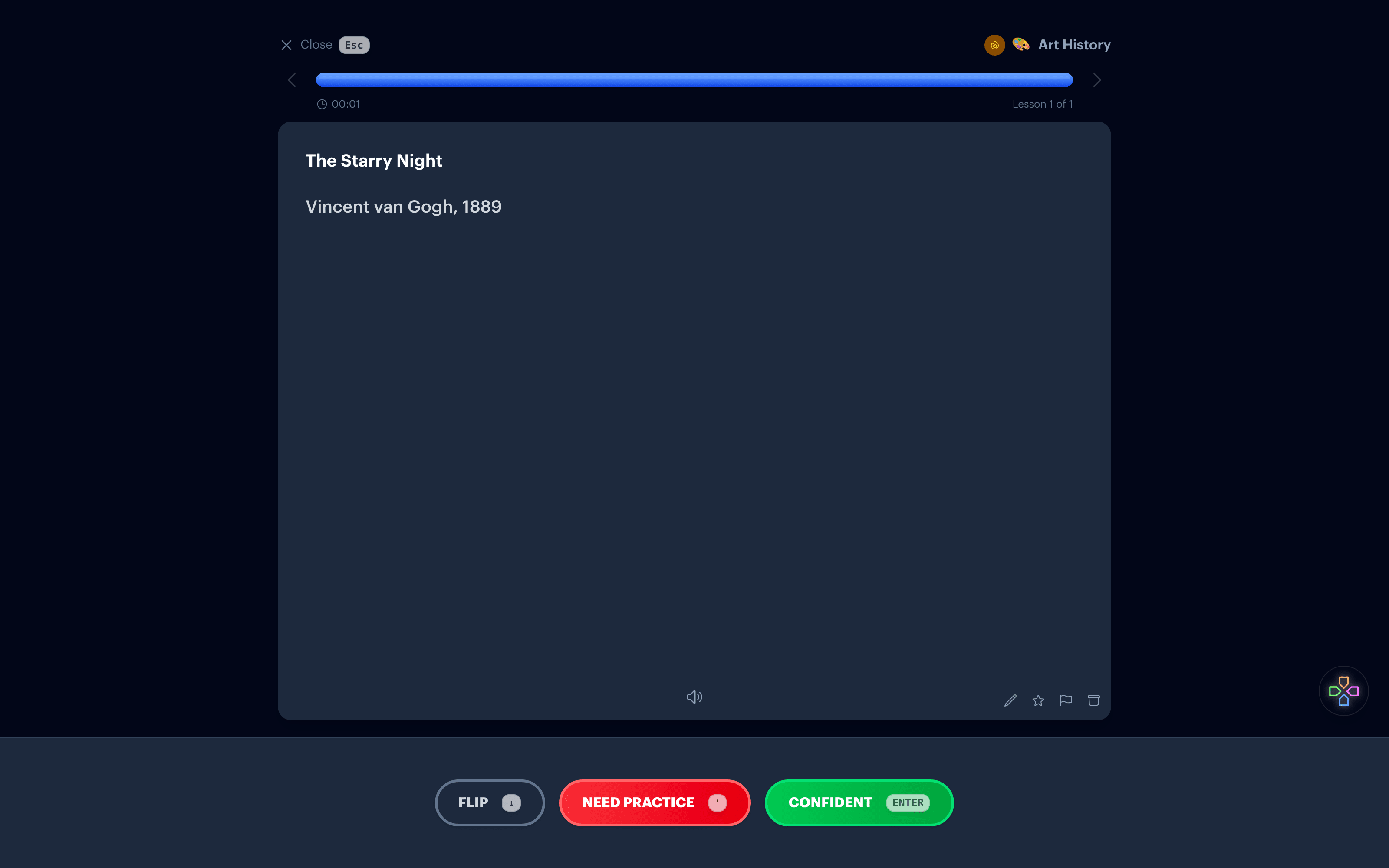
Art history is the obvious case: put the work on the front and recall the title, artist, and period. It's just as useful for geography (flags, landmarks, map outlines), biology (species, cell structures), architecture, and film stills.
For words and concepts that don't have one correct picture, the Create visual option draws a sketch instead.
Common questions
Where do the images come from?
Wikimedia Commons first, which covers most well-known artworks, landmarks, and species. When it has nothing, Interact runs a web search and picks the best match.
Is the image always right?
Usually for famous works and common species. Check it before you keep it, especially for lesser-known works that share a title. Fetching again with a more specific description, like the artist's name, helps.
Can I use the images anywhere?
Fetched images are for your own study. Interact does not check the license of every result, so if you share a subject publicly, make sure the pictures in it are ones you have the right to share.
Can I use my own pictures instead?
Yes. Paste, drop, or attach an image on either side of a card. Fetched and attached pictures sit in the card the same way.
Is it free?
Each fetch counts as one AI generation, and the free plan includes 10 a month. Attaching your own images is unlimited on every plan.
Put the real thing on the card
Get Started Free
No credit card required
Used for
See how this fits into studying a whole subject.
More ways to learn with Interact
YouTube to Flashcards
Paste a video link and get flashcards, quizzes, and fill-in-the-blanks built from it.
YouTube to Quiz
Generate a multiple choice quiz from any YouTube video and edit every question.
PDF to Flashcards
Upload lecture slides, textbook chapters, or photos of notes and study them as flashcards.
Website to Flashcards
Turn any article or webpage into study material by pasting the link.
Notes to Flashcards
Paste typed notes or snap a photo of handwritten pages and make them reviewable.
Visual Flashcards
Put an AI-drawn picture on the back of a vocabulary card instead of a translation.
Image Occlusion
Mask the labels on a diagram or map and quiz yourself on what is underneath.
Type the Answer
Exercises that make you type what you know, with grading that forgives typos.
Interactive Lessons
Five lesson types with animations, sound effects, and keyboard shortcuts that keep review fun.
Flashcards on Apple TV
A native tvOS app for reviewing your queue on the big screen.
Flashcards on Apple Watch
Dictate card ideas from your wrist and they land in your study queue.
Personal Curriculum
Organize subjects, goals, and resources for everything you are learning.
Progress & Streaks
Track a daily streak, watch goals move, and catch follow-ups without breaking focus.
Ask
Ask a question, then say what to build or change. No clicking through screens.


Made with
in Orlando, Florida.
© 2026 Create With LLC. All rights reserved.